


Messages: SMS Text Messenger
4.01.08K Reviews
App Specs
- Version
- 7.0
- Updated On
- License
- Free
- Downloads
- 1,000,000+
- Developer
- text messages
- Categories
- Communication
- Platform
- Android
Screenshots
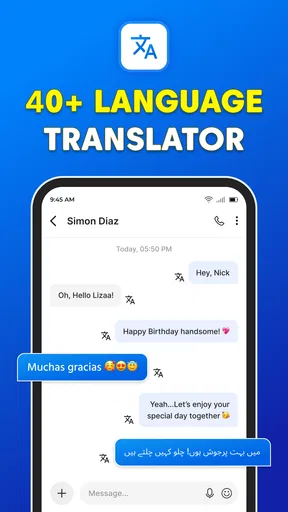
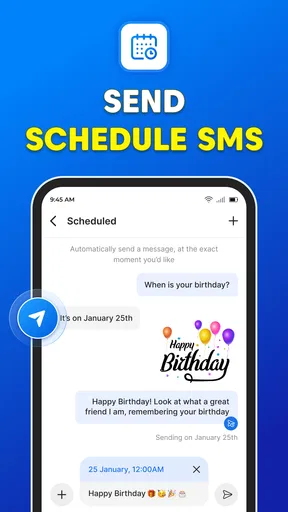
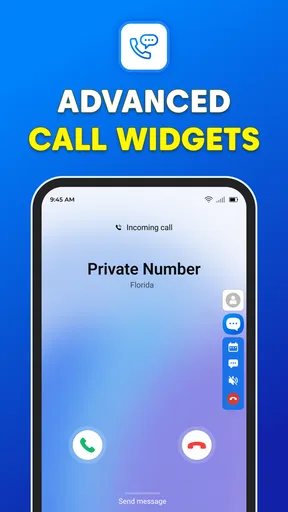
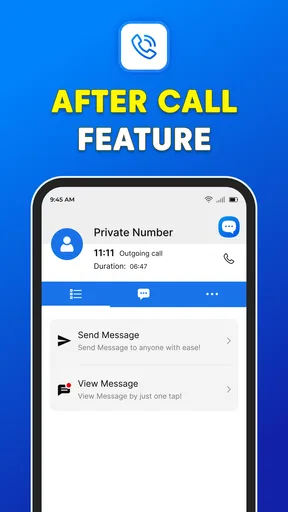
 Analysis by AppCompare
I tend to judge a messaging app less by its first few minutes than by whether it still feels useful once the novelty wears off. Messages: SMS Text Messenger is a free communication app from text messages, and its straightforward SMS focus gives it a practical role for people who want a dedicated place for everyday texting. It is rated for Everyone, has an average rating of 4.1 from around 9,000 ratings, and has passed 1 million installs. Those figures suggest a sizeable audience, but the more important question is whether it fits the way you actually keep in touch.
What a first week can tell you
The first week is when a separate messaging app has to earn the switch. If you mainly use texts to coordinate plans, check in with family, or handle quick practical questions, a clean place for conversations can feel refreshing. The app’s store description positions it around SMS and instant messaging, so it is aimed at people who want messaging to stay central rather than become one part of a broader social platform.
Before making it your default, I’d try it with a few ordinary conversations rather than moving everything over at once. Send a one-to-one message, reply to a group thread, and see whether notifications arrive in a way that suits your routine. That small trial is useful because the best messaging app is often the one you can use without thinking, not the one that makes the strongest first impression.
A realistic test is coordinating a family pickup: one person asks when you’ll arrive, someone else changes the meeting point, and the group needs a clear answer. A dedicated SMS app is useful when everyone can be reached by text and nobody needs to install a separate chat service. If your group relies on internet-based features or uses a different platform as its shared home, however, a plain SMS-centered workflow may not replace that existing habit.
Where the routine value comes from
For month-to-month use, the appeal is less about novelty and more about reducing friction in conversations you already have. Texting remains handy for short updates that do not need a video call, a social feed, or a new account-based network. I’d consider this app most seriously if those everyday exchanges make up a large part of your communication and you want a focused alternative to the messaging app already on your phone.
It is also worth thinking about the people you message, not just the interface you prefer. SMS is most useful when the other person can receive a text without being asked to join a particular service. That makes it a reasonable fit for contacting relatives, local service providers, or acquaintances who do not share your preferred chat app. For a group that already organizes everything inside an internet messaging service, switching everyone is a different and often unnecessary task.
One practical habit is to keep a text app for conversations that need to be direct and easy to revisit, while leaving richer, platform-specific chats where your friends already use them. This avoids turning a small preference into a disruptive migration. It also helps you decide whether the app is genuinely adding value: after a few weeks, are you opening it because it handles your routine well, or just because it is new?
Worth Reading Before You Choose

EA SPORTS FC Mobile 26 Is a Bigger Football Game, but It Takes Time

Flipboard Shows What News Apps Must Do Beyond the Feed

Switching to Android Auto Means Rethinking Your Driving Routine

Google Calendar Makes a Crowded Week Easier to Manage

Ludo King Makes the Most of the Minutes Between Plans

Baby Panda World Brings Quick Play to Modern Phones, but Its Game Library Feels Busy
Setup, upkeep, and everyday trade-offs
The app is free, and its current version is 6.7, with Android 7.0 listed as the minimum operating system. That makes it relevant to people using a range of Android versions, though I’d still check that the device itself behaves well with the app before relying on it for important conversations. The developer is named text messages, so the app is easy to distinguish from similarly named messaging products when you’re looking for it.
Changing your default SMS app is a decision to make deliberately. On Android, the default choice determines which app handles ordinary text conversations, so I’d first confirm that you are comfortable with the inbox and notification behavior before making the switch permanent. If you decide it is not for you, returning to your previous messaging app is a sensible fallback; the point is to test the routine without putting important communication at risk.
Another useful check is how you handle older conversations. Before changing apps, make sure you can still find the messages you care about and that the conversation history appears as expected on your device. This is especially worth doing if you use texts for addresses, appointment details, or ongoing arrangements. I would not treat any messaging app as the only place to keep information that matters: save important details somewhere appropriate rather than assuming a chat will always be easy to retrieve.
Maintenance is mostly about keeping your setup comfortable rather than constantly tending to the app. Review notification settings if messages become distracting, and adjust the way you use the app if family or work conversations arrive at all hours. The goal is a dependable channel, not another source of interruptions. A focused SMS app can make texting easier to manage, but it cannot decide which conversations deserve an immediate response.
When a dedicated SMS app is not the best fit
The main comparison is with the messaging app that already comes with your phone and with internet-based services used by your friends. A built-in SMS app may be the simpler choice if it already meets your needs, since adding another option can create uncertainty about where replies will appear. By contrast, a separate app may be worth trying if you want a different way to handle your texts and are willing to spend a little time checking the setup.
For people who depend on rich group features, shared media, or conversations that work across a particular online community, the service everyone else already uses is likely the better fit. SMS is a practical common denominator, but it is not automatically the best home for every group. I would skip this app if you expect it to replace all your existing communication channels without asking anyone else to change their habits.
There is also a difference between a privacy-conscious label and a complete privacy assessment. The store summary uses the phrase “Private SMS Messenger,” but that alone is not enough to judge how a particular conversation is protected. I would avoid sending highly sensitive information until I had personally checked the app’s current privacy details and understood what protection applies to the messages I send. For sensitive communication, choose a service whose protections you can verify and that the other person is also prepared to use.
Finally, any messaging app depends on the phone’s settings and on the people you are trying to reach. If a notification is missed, a default is changed, or a contact prefers another channel, the app cannot solve that social or device-level mismatch by itself. A quick test with someone you message often is more useful than assuming that a new inbox will immediately become everyone’s preferred destination.
First Impressions
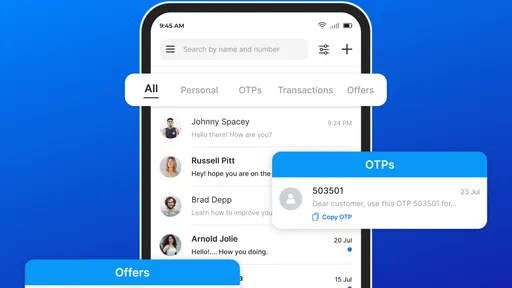
When I first installed Messages: SMS Text Messenger, I was immediately struck by its clean and intuitive interface. It’s got that minimalist vibe, you know the kind where less is more? The design is straightforward, focusing on what really matters — the messages. No flashy animations or unnecessary clutter, just straight-up messaging goodness.
Getting Started
Setting up was a breeze. A couple of taps here and there, and I was ready to roll. The app quickly synced my contacts and imported my old messages, which was a relief. No one wants to lose those precious texts, right? The onboarding process felt smooth and seamless, which is always a plus in my book.
Features That Stand Out
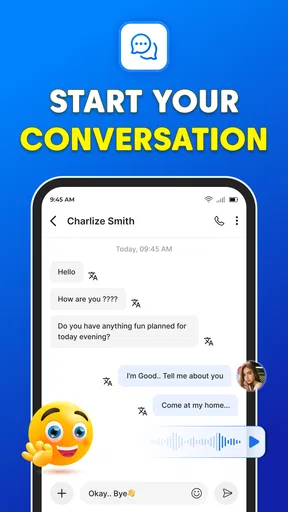
Now, onto the fun stuff. This app isn’t just about sending plain old texts. It’s packed with features that make communication a joy. One of my favorites is the group messaging option. Organizing a get-together or just chatting with multiple friends at once is super convenient.
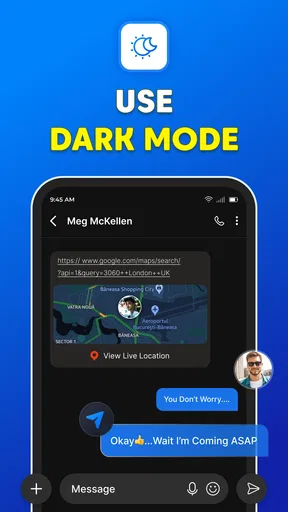
Then there’s the customization. You can change themes, set custom notifications for different contacts, and even tweak the font size. Who doesn’t love a bit of personalization? It’s these little touches that make using the app feel like a tailored experience.
Those options are most valuable when they solve a small recurring annoyance. A larger font can make a long exchange easier to read, while a distinctive notification for a key contact can help you notice a message without treating every incoming text as equally urgent. I’d change one setting at a time and live with it for a day or two; that makes it easier to tell whether a customization genuinely helps or simply adds another thing to manage.
Group texting also has a practical limit: it works best when everyone understands that replies may reach the whole conversation. For a quick plan among a few people, that is convenient. For a large group where many replies would become noise, a dedicated group-chat service may be easier to follow. I’d use SMS groups for coordination that benefits from broad reach, not as a substitute for every ongoing community discussion.
Performance and Reliability
Performance-wise, the app is snappy. Messages are sent and received without any noticeable lag, and I haven’t experienced any crashes. It’s reliable too. Whether you’re on Wi-Fi or mobile data, you can trust that your messages will get through.
For everyday use, I’d still separate the app’s responsiveness from the reliability of the connection and the messaging channel. If a time-sensitive text matters, check that it has gone through and use another way to reach the person if you do not get a response. That is not a reason to avoid SMS; it is simply a sensible habit for any communication app, especially when a plan depends on a timely answer.
Oh, and did I mention the app is pretty light on resources? It doesn’t hog up your phone’s battery or storage, which is great if you’re running low on space.
Security Matters
In today’s world, privacy is a big deal. The app doesn’t disappoint here. It offers end-to-end encryption, ensuring that your conversations stay private. Knowing that my chats are secure gives me peace of mind.
Because privacy claims matter more than visual polish, I’d make a point of checking the app’s current privacy information before using it for anything sensitive. Texting is convenient for routine details, but convenience and confidentiality are not the same thing. If the conversation involves account credentials, financial information, or something you would not want exposed, use a channel whose protections you have verified rather than relying on a general impression.
User Experience
Let’s talk about the user experience. Navigating through the app feels natural. Everything is where you’d expect it to be, which means less time searching and more time chatting. The developers clearly put a lot of thought into making the user journey as smooth as possible.
For a lasting setup, I’d pay attention to the little points of friction that only show up during normal use: whether you can spot the right thread quickly, whether a busy group becomes hard to follow, and whether notifications fit your day. A messaging app can feel simple while the inbox is quiet, then become less comfortable once work, family, and casual conversations overlap. Those are the moments that should decide whether it earns a permanent place.
Connectivity with Other Platforms
If you’ve got friends scattered across different platforms (and let’s face it, who doesn’t?), you’ll be pleased to know that the app plays well with others. It syncs efficiently with other messaging services, allowing you to keep all your conversations in one place.
I would treat cross-platform convenience as a reason to test the app, not a reason to assume every service or conversation will behave identically. Before depending on a combined workflow, try the specific conversations you care about and make sure messages are easy to identify and respond to. If your contacts are strongly attached to separate services, keeping those services in place may be clearer than trying to gather everything into one inbox.
Long-Term Verdict
In a sea of messaging apps, Messages: SMS Text Messenger stands out for its simplicity, reliability, and feature-rich experience. It’s perfect for those who want a no-nonsense way to stay connected with friends and family.
For me, it earns lasting space only if it makes routine texting easier without adding confusion about defaults, notifications, or where a conversation belongs. The audience most likely to appreciate it is someone who texts regularly, values a dedicated SMS-focused option, and is happy to keep richer chats on the services their contacts already use. If you rarely send texts or your social life is centered on another messenger, the existing option may serve you better.
So, if you’re on the lookout for a solid messaging app that does the basics brilliantly and throws in some nice extras, give this one a shot. You might just find, like I did, that it’s exactly what you’ve been looking for.
Pros
- User-friendly interface
- easy to navigate.
- Supports multimedia messages and emojis.
- Customizable themes and chat backgrounds.
- Syncs seamlessly across multiple devices.
- Offers end-to-end encryption for privacy.
Cons
- Ads can be intrusive during use.
- Limited support for third-party integrations.
- No option for scheduled messages.
- Occasional delays in message delivery.
- Some features require in-app purchases.
FAQs for Messages: SMS Text Messenger
What features does Messages: SMS Text Messenger offer?
Messages: SMS Text Messenger provides a seamless texting experience with features like multimedia sharing, group messaging, and customizable themes. It also supports emojis, stickers, and voice messages, enhancing communication. The app ensures privacy with end-to-end encryption for secure conversations, and it integrates with various platforms for a unified messaging experience.
Is Messages: SMS Text Messenger compatible with both Android and iOS devices?
Yes, Messages: SMS Text Messenger is designed to be compatible with both Android and iOS platforms. This cross-platform functionality ensures users can easily communicate with friends and family regardless of the device they are using, making it a versatile choice for anyone seeking a reliable messaging app.
How secure is Messages: SMS Text Messenger?
Security is a priority for Messages: SMS Text Messenger, featuring end-to-end encryption to protect your conversations from unauthorized access. This ensures that only you and the person you’re communicating with can read the messages. Regular updates and security patches further enhance the app's protection against potential threats.
Does Messages: SMS Text Messenger support multimedia messaging?
Absolutely, Messages: SMS Text Messenger supports multimedia messaging, allowing users to send and receive photos, videos, and audio clips effortlessly. This feature enhances communication by enabling users to share moments instantly, making conversations more interactive and engaging. It also supports various file formats for convenience.
Are there customization options available in Messages: SMS Text Messenger?
Yes, Messages: SMS Text Messenger offers a variety of customization options. Users can personalize their chat experience by selecting different themes, backgrounds, and chat bubbles. This flexibility allows for a more personalized user interface, making the app both visually appealing and user-friendly.


